Chat & Messaging
Real-time chat between buyers, artisans, and Bukkinhomes Official support.
Overview of Chat & Messaging
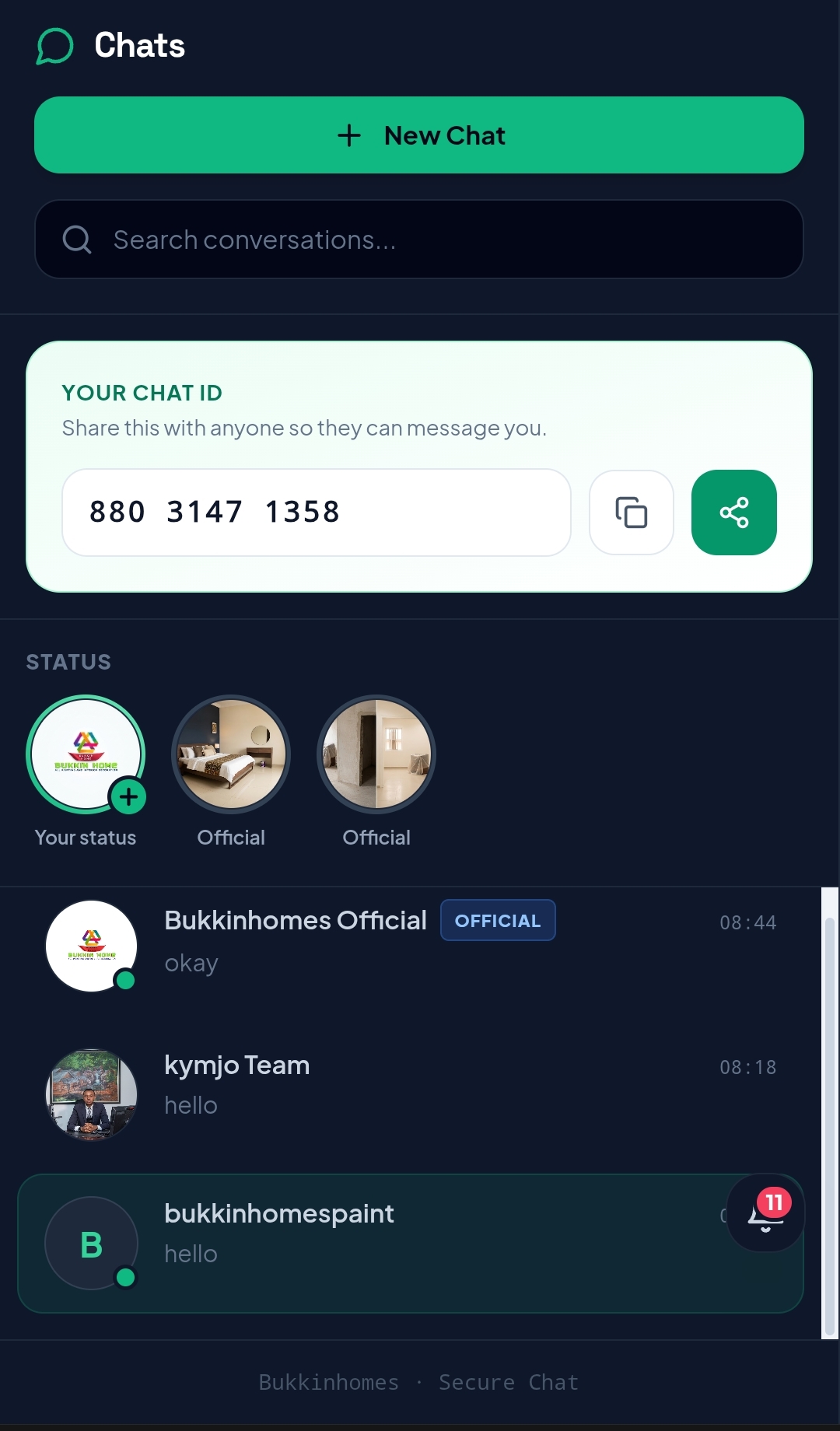
Communication is a core part of completing wall finishing and painting projects on Bukkinhomes (https://bukkinhomes.com.ng). The platform’s Chat & Messaging system provides a structured, real-time channel connecting customers, verified artisans, approved agents, and Bukkinhomes Official support.
Whether you are buying surface finishing materials, coordinating with an artisan on a live project, consulting an agent, or seeking assistance with an order, chat messaging ensures that all parties can share clear instructions, project updates, surface specifications, and support requests directly within the platform.
Wall finishing often involves precise technical specifications—ranging from selecting the correct paint finish among the 31 active catalogue products to confirming wall surface preparation for special finishes like Stucco, Silk, or Gravitas. Having an integrated messaging tool helps eliminate misunderstandings between buyers, installers, and service teams before, during, and after a job.
Communication Channels on Bukkinhomes
The platform organizes messaging into targeted channels depending on the type of interaction required:
1. Buyer-to-Support Messaging
Customers can initiate direct messaging with Bukkinhomes Official support for help with account setup, product catalogue inquiries, order tracking, payment verification, and delivery coordination. This channel connects you directly with platform administrators who can view order statuses, resolve delivery inquiries, or guide you through platform tools like the Paint Quantity Calculator or 3D Custom Render Requests.
2. Buyer-to-Artisan Messaging
When a customer posts a job on Bukkinhomes or hires an artisan from the network, a direct messaging line opens between the customer and the assigned artisan. Currently, Bukkinhomes maintains a network of 2 verified artisans specialized in various wall finishing techniques. This channel allows both parties to discuss project timelines, inspect wall photos, discuss required tools or materials, and confirm site availability.
3. Buyer-to-Agent Messaging
Bukkinhomes works with approved field agents (currently 2 approved agents on the platform) who assist with local customer onboarding, order fulfillment, site consultations, and agent program activities. Customers can communicate directly with agents to clarify product availability across the 15 active product categories or request assistance with local order handling.
How It Works
Using the Chat & Messaging feature on Bukkinhomes follows a simple workflow integrated directly into your customer or service dashboard:
- Log In to Your Account: Access your Bukkinhomes account on https://bukkinhomes.com.ng. Chat features are active for logged-in users to ensure all message records are securely linked to your account history.
- Initiate a Conversation:
- To contact support: Click the messaging/support icon on your Customer Dashboard or order confirmation page.
- To contact an artisan: Open your active job post from the "Posting a Job" section or your contract summary and click "Message Artisan."
- To contact an agent: Navigate through your account agent link or designated project thread.
- Send Details and Media: Type your inquiry or operational updates into the chat box. You can share precise details such as site locations, room dimensions, wall preparation photos, or calculations derived from the Bukkinhomes Paint Quantity Calculator.
- Receive Real-Time Updates: Receive prompt replies from artisans, agents, or official support personnel. Notification badges within your dashboard alert you to unread incoming messages.
- Keep Records on Platform: All conversation logs remain saved in your dashboard history, providing a permanent reference record for your project requirements, agreed costs, job scope details, and delivery timelines.
What You Can Do via Chat & Messaging
The chat and messaging system supports a wide range of actions tailored to different user roles across the platform:
For Customers and Buyers
- Inquire About Products: Ask questions regarding application methods, coverage areas, and finish types for any of the 31 catalogue products across the 15 active categories (Accessories, Decorative Finishes, Emulsion, Equipment, Exterior, Flora Wall, Gravitas, India Finish, Matt, Paint, Rustic Brick, Silk, Stone Wall, Stucco, and Tools).
- Clarify Render Requests: Discuss special design inputs or upload room dimensions for 3D Custom Render Requests to ensure visual models accurately match your real-world room layout.
- Coordinate Deliveries: Message support or assigned agents regarding order dispatch, drop-off locations, and delivery timelines under the Delivery and Coverage guidelines.
- Discuss Job Details: Send photos of existing wall conditions (e.g., damp walls, bare masonry, or previously painted surfaces) to verified artisans before work commences.
For Verified Artisans
- Confirm Work Scope: Review job expectations, surface areas, and specific decorative finishing techniques (such as Stucco troweling, Silk pattern application, or Stone Wall installation) directly with the site owner.
- Provide Progress Updates: Send daily or milestone updates to property owners, including progress photos and notes on surface drying times or base coat application.
- Confirm Material Delivery: Verify that required paints, primers, equipment, and tools ordered from the catalogue have arrived safely on-site before commencing labor.
For Approved Agents
- Assist Local Clients: Answer customer inquiries regarding product selection, local delivery availability, and agent-assisted order placements.
- Coordinate Service Onboarding: Communicate with prospective artisans and buyers within your assigned region to facilitate smooth platform usage.
For Bukkinhomes Support
- Provide Order Assistance: Help customers check order states, confirm payments made through the secure payment gateway, and issue receipts.
- Resolve Disputes: Review chat histories between buyers and artisans if questions arise regarding project scope, material usage, or execution quality.
Platform Safety and Communication Rules
To protect all parties and ensure smooth transactions, Bukkinhomes maintains simple operational rules for platform messaging:
Keep All Communications On-Platform
All project discussions, specifications, scope changes, and agreements must take place within the official Bukkinhomes chat interface. Keeping records on the platform ensures that Bukkinhomes Official support can review transaction logs if support or dispute resolution is ever required.
Protect Your Financial Security
Never agree to make direct bank transfers, off-platform cash deposits, or informal financial arrangements outside the official Bukkinhomes Checkout and Payment system. Bukkinhomes is not responsible for agreements, payments, or material orders negotiated or paid off-platform.
Professional Conduct Standard
All users—customers, artisans, and agents—are expected to communicate professionally and clearly. Misrepresentation of skills, false material claims, or abusive language will result in account review and potential suspension from the network.
Frequently Asked Questions
Can I send photos of my walls through the chat feature?
Yes. You can upload photos of your current wall condition, room layout, or reference designs through the chat interface. This helps artisans assess surface preparation requirements and helps support staff provide accurate guidance on products like Emulsion, Stucco, or Exterior finishes.
Is messaging available on mobile devices?
Yes. The Bukkinhomes platform and chat interface are fully responsive and work on mobile web browsers, tablets, and desktop computers at https://bukkinhomes.com.ng.
What should I do if an artisan asks me to communicate or pay outside Bukkinhomes?
You should decline and notify Bukkinhomes Official support immediately through the support chat channel. Off-platform payments void all platform buyer protections, dispute assistance, and verified quality guarantees.
How quickly does Bukkinhomes Official support respond to messages?
Support messages are monitored during regular operational business hours. Critical inquiries regarding live orders, ongoing checkout payments, or active job sites are prioritized for rapid resolution.